That dreaded moment. You’ve pulled out the vacuum, you’re ready to tackle that explosion of cracker crumbs from the kids, and… nothing. You press the power button, you jiggle the switch, but your trusty cleaning machine remains stubbornly silent. Before you start planning its funeral or frantically searching for a new one, take a deep breath. We’ve all been there. The good news is that learning how to fix vacuum cleaner not turning on is often surprisingly simple. More often than not, it’s a minor issue you can solve yourself in just a few minutes, no tools required. Most vacuum cleaner issues preventing startup, such as a lack of power, can be resolved by checking the power source, inspecting the cord for damage, allowing an overheated motor to cool, or examining the on/off switch. This guide is your first-aid kit for a non-responsive vacuum. We’ll walk you through the most common culprits, from the ridiculously obvious to the slightly more technical, helping you diagnose the problem and get back to cleaning. So, roll up your sleeves, and let’s bring your vacuum back to life.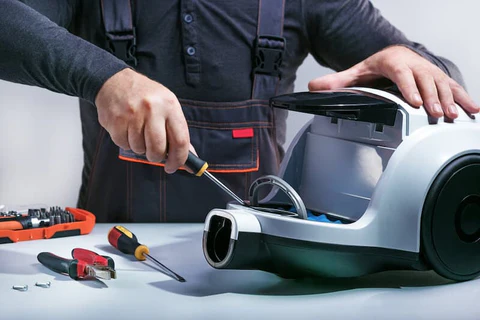
Step 1: Check the Power Source (The “Is It Plugged In?” Phase)
I know, I know. It sounds almost insulting, but you would be absolutely shocked how often this is the problem. In our haste to clean, we sometimes overlook the most basic requirement: electricity. Before you do anything else, let’s run through this simple checklist.
- Confirm the Plug: Is the plug firmly seated in the wall outlet? Sometimes it can get knocked loose just enough to break the connection. Push it in all the way.
- Try a Different Outlet: The issue might not be your vacuum at all, but the outlet itself. Unplug the vacuum and plug a different device you know works, like a lamp or a phone charger, into the same outlet. If that device doesn’t work, you’ve found your culprit.
- Check Your Circuit Breaker: If the outlet is dead, head to your home’s electrical panel. Look for a switch that is flipped to the “OFF” position or is stuck in the middle. Flip it firmly back to the “ON” position. If it immediately trips again, you may have a larger electrical issue that needs a professional.
If your vacuum still has no power after confirming the outlet is working, it’s time to move on to the machine itself. For shop curated vacuum cleaner on this site.
Step 2: A Close Inspection of the Power Cord
The power cord is the lifeline of your vacuum, but it also takes a lot of abuse. We yank it, roll over it, and wrap it tightly. Over time, this can cause damage that interrupts the flow of electricity.
- Unplug the vacuum cleaner from the wall. This is a critical safety step before you inspect any electrical components.
- Run your hands carefully along the entire length of the cord. Start at the plug and work your way to the base of the vacuum.
- Look and feel for any visible signs of damage. You’re searching for:
- Deep cuts or gashes that expose the internal wires.
- Frayed sections, especially near the plug or where the cord enters the vacuum body.
- Bumps or kinks that could indicate a break inside the rubber casing.
- Inspect the prongs on the plug. Are they bent or damaged? A bent prong might not make a solid connection inside the outlet.
If you find significant damage to the cord, do not use the vacuum. A damaged cord is a serious fire and shock hazard. Depending on the model and your comfort level, you might be able to replace the cord yourself, but for most people, this is a job for a qualified repair technician.
Step 3: Did Your Vacuum Overheat? The Thermal Cutout
Have you ever been in the middle of a marathon cleaning session, only for your vacuum to suddenly die on you? The most likely cause is a safety feature called the thermal cutout or thermal protector. Its job is to shut the motor off automatically if it gets too hot, preventing permanent damage.
Why do vacuums overheat?
|
Our Picks for the Best Vacuum Cleaner in 2026
As an Amazon Associate, we earn from qualifying purchases.
|
||
| Num | Product | Action |
|---|---|---|
| 1 | Shark | Upright Vacuum Cleaner | Navigator Lift-Away | Swivel Steering | HEPA Filter | Vacuum for Pet Hair | Crevice Tool & Dusting Brush Included | For Carpets & Hard Floors | White/Silver | NV356E |

|
| 2 | Shark | Pet Cordless Vacuum Cleaner | LED Headlights | Removable Handheld Vacuum for Pet Hair | Crevice Tool & Pet Multi-Tool Included | 40min Runtime | For Carpet & Hard Floors | Grey | IX141 |
|
| 3 | BLACK+DECKER dustbuster AdvancedClean Cordless Handheld Vacuum, Compact Home and Car Vacuum with Crevice Tool (CHV1410L) |
|
| 4 | LEVOIT Cordless Vacuum Cleaner, Stick Vac with Tangle-Resistant Design, Up to 50 Minutes, Powerful Suction, Rechargeable, Lightweight, and Versatile for Carpet, Hard Floor, Pet Hair, LVAC-200 |
|
| 5 | Shark HV322 Rocket Deluxe Pro Corded Stick Vacuum with LED Headlights, XL Dust Cup, Lightweight, Perfect for Pet Hair Pickup, Converts to a Hand Vacuum, with Pet Attachments, Bordeaux/Silver |
|
| 6 | BISSELL CleanView Compact Upright Vacuum, Fits in Dorm Rooms & Apartments, Lightweight with Powerful Suction and Removable Extension Wand, 3508 |
|
| 7 | Shark NV352 Navigator Lift Away Upright Vacuum, Hepa Filter, Anti-Allergen Technology, Swivel Steering, Ideal for Carpet, Stairs, & Bare Floors, with Wide Upholstery & Crevice Tools, Lavender |
|
| 8 | BLACK+DECKER dustbuster QuickClean Cordless Handheld Vacuum, Car Vacuum Portable (HNVC215B10) |
|
| 9 | BISSELL CleanView Compact Turbo Upright Vacuum with Quick Release Wand, Full Size Power, Compact Size for Apartments & Dorms, 3437F |
|
| 10 | Amazon Basics Upright Bagless Vacuum Cleaner for Carpet and Hard Floors, With Crevice and Upholstery Tools, Detachable Handle, Lightweight (8.4 lbs), 1.7L Dust Cup, 720W, 25ft Cord, Black/White |
|
The number one reason for overheating is restricted airflow. The air that pulls up dirt also serves to cool the motor. When that airflow is blocked, the motor works harder and heats up fast. Common causes include:
- A completely full bag or dustbin: There’s simply no more room for air and dirt to go.
- A severely clogged filter: HEPA filters and foam filters can get so packed with fine dust that air can barely pass through.
- A major blockage in the hose or brush head: That sock or toy the vacuum accidentally ate is now preventing air from reaching the motor. This is a common problem that can also lead to other issues. To learn more about this, understanding how to fix vacuum cleaner no suction is crucial, as the root causes are often identical.
How to Fix an Overheated Vacuum
This is one of the easiest fixes!
- Unplug the vacuum and leave it alone.
- Let it cool down for at least 30-60 minutes. Don’t rush this step.
- While it’s cooling, find and fix the cause of the blockage. Empty the bag or canister, and clean or replace your filters according to the manufacturer’s instructions. Check the hose and brush head for obstructions.
- Once it’s completely cool and the blockage is cleared, plug it back in. It should turn on and work as normal.
“The thermal cutout is a vacuum’s best friend. It’s a fail-safe that turns a potentially catastrophic motor burnout into a temporary inconvenience. Always check for clogs when it trips.” – David Chen, Senior Product Engineer
Step 4: Examining the On/Off Switch
If power is flowing and the vacuum isn’t hot, the switch itself might be the problem. It’s a mechanical part that can wear out or break over time. You might not hear that satisfying “click” anymore, or the button might feel mushy or stuck.On many canister or upright vacuums, you can test this by firmly pressing the switch several times. If it feels different than usual or you can’t get it to engage, the switch may need to be replaced. This is a more advanced repair that typically requires opening up the vacuum’s housing. For cordless stick vacuums, the trigger mechanism can also fail. If you suspect a faulty switch, consulting your user manual or a professional is your best bet.
Step 5: What to do When Your Vacuum Cleaner Won’t Turn On (Beyond the Basics)
If you’ve worked through all the steps above and your machine is still lifeless, the problem might be more serious, often related to the motor.
Signs of a Dead Motor
A motor doesn’t usually die silently. Think back to the last time you used it. Did you notice any of these warning signs?
- A distinct burning smell, like hot plastic or electricity.
- Louder-than-usual or unusual grinding/whining noises.
- A significant loss of suction power right before it stopped working.
If you experienced any of these, it’s a strong indication that the motor has failed. A motor replacement is a complex and often expensive repair. In many cases, especially with older models, the cost of the repair can be close to the price of a new machine.This is often the point where you have to weigh the cost of repair against the benefits of a new vacuum with modern features like improved HEPA filtration, better performance on pet hair, or the convenience of a cordless, bagless design.
Frequently Asked Questions (FAQ)
Why did my vacuum cleaner suddenly stop working?
The most common reason for a vacuum to stop suddenly is the thermal cutout feature, which shuts the motor down to prevent overheating from a clog or full bag. Unplug it, clear any blockages, clean the filters, and let it cool for 30-60 minutes before trying again.
How do I reset my vacuum cleaner?
Most vacuums don’t have a dedicated “reset” button. The reset process is typically to unplug the machine, let it cool down completely if it has overheated, and then plug it back in. This allows the internal thermal protector to reset itself.
Can a clogged filter stop a vacuum from turning on?
Yes, absolutely. A severely clogged filter can restrict airflow so much that the motor overheats and triggers the thermal cutout, shutting the vacuum off. It’s a protective measure to prevent the motor from burning out.
What should I do if I smell something burning from my vacuum?
Unplug it immediately and do not use it. A burning smell is a serious warning sign that could indicate a problem with the motor, a belt, or the internal wiring. This is a fire hazard and should be inspected by a professional.
Is it worth fixing a vacuum cleaner motor?
It depends on the age and value of your vacuum. For high-end models, a motor replacement might be cost-effective. For budget or older models, the cost of parts and labor can often exceed the price of a new, more efficient vacuum cleaner.
Your Next Steps to a Clean Home
Dealing with a vacuum that won’t start is frustrating, but it’s rarely a lost cause. By methodically working through these steps—from the power outlet to the thermal cutout—you can diagnose and solve the vast majority of issues yourself. Remember to always prioritize safety by unplugging the machine before any inspection.By taking a few minutes to troubleshoot, you not only save yourself the cost and hassle of a repair shop but also gain a better understanding of how your machine works. And if you do determine it’s time for an upgrade, you’ll be making that decision with the confidence of knowing you tried everything first. Now you know how to fix vacuum cleaner not turning on, and hopefully, you’re already back to enjoying that satisfying hum of a working vacuum and a cleaner home.
Fix a Vacuum Cleaner That Won't Turn On
Troubleshoot common issues preventing your vacuum cleaner from turning on, including power source problems, cord damage, and overheating.
Ensure the vacuum is firmly plugged into a working wall outlet. Test the outlet with another device, like a lamp, to confirm it has power. If the outlet is dead, check your home's circuit breaker and reset it if tripped.
Unplug the vacuum for safety. Carefully run your hands along the entire length of the power cord, looking and feeling for any cuts, fraying, or kinks. Also, check the plug prongs for damage; a compromised cord is a fire hazard and requires professional repair or replacement.
If the vacuum suddenly stopped during use, it likely overheated. Unplug it and let it cool for 30-60 minutes. While cooling, empty the dustbin or bag, clean or replace filters, and check the hose and brush head for blockages. Once cool and clear, plug it back in.
If power is confirmed and the vacuum isn't hot, the switch might be faulty. Press the switch firmly several times; if it feels different or doesn't engage, it may need replacement. This is a more advanced repair, often requiring professional assistance.
Get our weekly buyer guide
Practical specs, not advice. Unsubscribe anytime.
I thought my old Hoover was completely dead after it wouldn’t turn on this morning. I followed the steps to check the power source and realized the outlet itself was faulty, not the vacuum! Switched to a different plug, and it worked perfectly. Saved me a lot of frustration and a potential repair bill.
This guide was a lifesaver! My Shark Navigator suddenly stopped working, and I was ready to buy a new one. Turns out, the motor had just overheated from a long cleaning session. I let it cool down for 30 minutes like suggested, and it powered right up. So glad I didn’t spend money on a replacement!
Good tips overall, but I was hoping for more detail on checking the on/off switch. My Dyson V8 has been acting up, and I suspect that’s the culprit. The advice to just ‘examine the switch’ felt a bit vague for someone not super handy. Still, the power cord inspection was helpful.
Fantastic advice! My kids made a huge mess with cereal, and when I went to clean it, my vacuum was silent. I checked the cord for damage as recommended, and sure enough, there was a tiny kink near the plug. Straightened it out, and boom, back in business. Simple fix, huge relief!